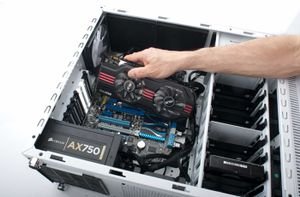
Elevate your computing and graphics experience with the Sapphire NITRO+ RX 9070 Graphics Card, featuring 16GB of advanced GDDR6 memory and cutting-edge RDNA 4 architecture, model 11349-01-20G. This flagship product from the renowned Sapphire brand combines superior performance with sleek design, delivering an unparalleled experience for gaming, design, and video streaming.
The Sapphire NITRO+ RX 9070 harnesses the power of RDNA 4 architecture, offering exceptional energy efficiency and stunning graphical performance. With 16GB of GDDR6 video memory, it empowers you to run the latest games and professional applications smoothly, without lag or stutter. The card supports DisplayPort 2.1a, enabling ultra-high-definition output and compatibility with modern monitors up to 8K resolution, making it ideal for gamers, graphic designers, and digital content creators.
Technical
Specifications
- Brand: Sapphire
- Model: NITRO+ RX 9070 (11349-01-20G)
- Memory: 16GB GDDR6
- Architecture: RDNA 4
- Ports: DisplayPort 2.1a
- Origin: China
- Maximum Display Resolution: Up to 8K
- Power Efficiency: High, with advanced cooling system
- Additional Technologies: Ray tracing support, dynamic performance optimization, AI capabilities
Features
- Outstanding graphics performance for smooth, high-quality gaming
- Advanced cooling system for optimal temperature management during intensive use
- Support for professional monitors and the latest visual display technologies
- Reliable build quality from Sapphire, a leader in PC hardware
- Suitable for home, office, design studio, and gaming room environments
Use Cases
The Sapphire NITRO+ RX 9070 is the perfect solution for those seeking top-tier performance in gaming, video editing, 3D design, and live streaming. It is an excellent choice for engineers, designers, and content creators who require powerful, dependable graphics processing for demanding tasks.
Product
Benefits
- Faster graphical data processing
- Superior image quality at 4K and 8K resolutions
- Stable performance during extended use
Care Instructions
To maintain optimal performance, regularly clean the graphics card with compressed air to remove dust and ensure the ventilation slots are clear. Always install the latest drivers from the Sapphire website to enhance compatibility and performance with new games and applications. Avoid exposing the card to moisture or high temperatures to prolong its lifespan.