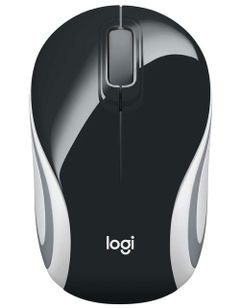
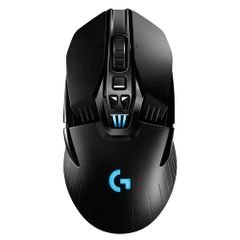
Experience the perfect blend of quiet operation and high performance with the Lenovo ThinkPad Bluetooth Silent Mouse, model 4Y50X88822, in classic black. Designed for professionals and everyday users alike, this mouse delivers seamless navigation and productivity without the distracting click noise, making it ideal for shared spaces and focused work environments.
Technical
Specifications
- Brand: Lenovo
- Product Name: Lenovo ThinkPad Bluetooth Silent Mouse
- Model: 4Y50X88822
- Model Year: 2020
- Connection Type: Wireless Bluetooth
- Sensor Technology: Blue Optical Sensor
- Scroll Wheel: 2-way scroll wheel (up, down)
- Number of Buttons: 3 (left click, right click, scroll click)
- Color: Black
Warranty: 2 Years
- Origin: China
Features
- Advanced wireless Bluetooth connectivity for a clutter-free workspace and unrestricted movement.
- High-precision Blue Optical Sensor ensures accurate tracking and responsiveness on a variety of surfaces.
- Silent click design allows you to work discreetly in quiet environments such as offices, libraries, or meeting rooms.
- 2-way scroll wheel enables swift and smooth navigation through documents and webpages.
- Ergonomic, lightweight construction suitable for both right and left-handed users, with easy portability for travel.
- Extended battery life reduces the need for frequent replacements, supporting uninterrupted productivity.
Use Cases
The Lenovo ThinkPad Bluetooth Silent Mouse is the ideal companion for professionals in offices, educators in classrooms, and students studying in quiet environments. Its compact design makes it perfect for home use, conference rooms, or on-the-go productivity with laptops, desktops, or tablets equipped with Bluetooth.
Benefits
- Boosts efficiency with fast response times and precise cursor control.
- Minimizes noise interference, allowing for more productive teamwork and study sessions.
- Hassle-free setup and compatibility—simply connect and start using, no drivers required.
- Organizes your workspace by eliminating tangled cables and supporting a neat environment.
Care Instructions
To maintain optimal performance, clean the mouse exterior with a soft, dry cloth and avoid exposure to liquids or harsh chemicals. Store the mouse in a dry place away from extreme temperatures and humidity. Replace the battery as needed to ensure continuous functionality.
Invest in comfort and reliability with the Lenovo ThinkPad Bluetooth Silent Mouse. Enjoy a quieter, more efficient computing experience whether at home, in the office, or on the move.